Provider Companion
The Provider Companion is a mobile-optimized, provider-facing web app that runs alongside Canvas. It’s designed for the phone-in-hand moments in a clinician’s day — looking something up between rooms, triaging a message list, checking in on a patient’s tasks — rather than the sit-down charting workflows the desktop app covers.
Your plugins can contribute applications to the companion just like they do to the desktop. This page covers how plugins integrate, the three companion-specific application scopes, and how to share code when you want the same plugin to work across multiple scopes.
Accessing the companion #
The companion lives at /companion/ on your Canvas instance:
https://<instance>.canvasmedical.com/companion/
Any staff user who can log in to the desktop Canvas app can log in to the companion with the same credentials. Patients don’t have access — it’s a provider surface only.
How plugins extend the companion #
Canvas plugins contribute embedded apps through the Application handler — a Python class with an on_open() method that returns a URL for Canvas to iframe into its UI. Which surface your app appears on is controlled by the scope value in your plugin’s CANVAS_MANIFEST.json. Companion apps work exactly the same way; they just use one of three companion-specific scope values. If you haven’t built an embedded app before, start with the Applications page — this page assumes you know the basics and focuses on what’s companion-specific.
There are three companion scopes:
| Scope | Where the app shows up |
|---|---|
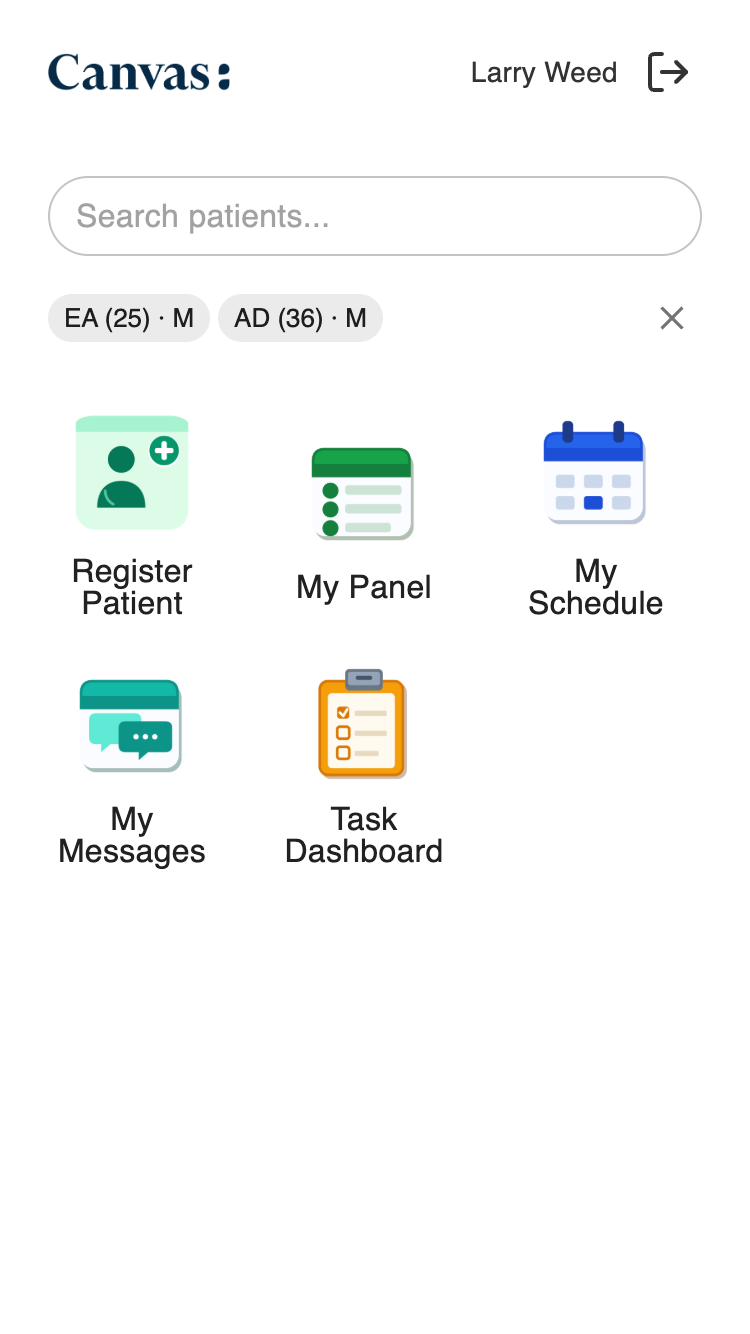
provider_companion_global | Icon in the app launcher on the companion’s main page, outside of any patient context |
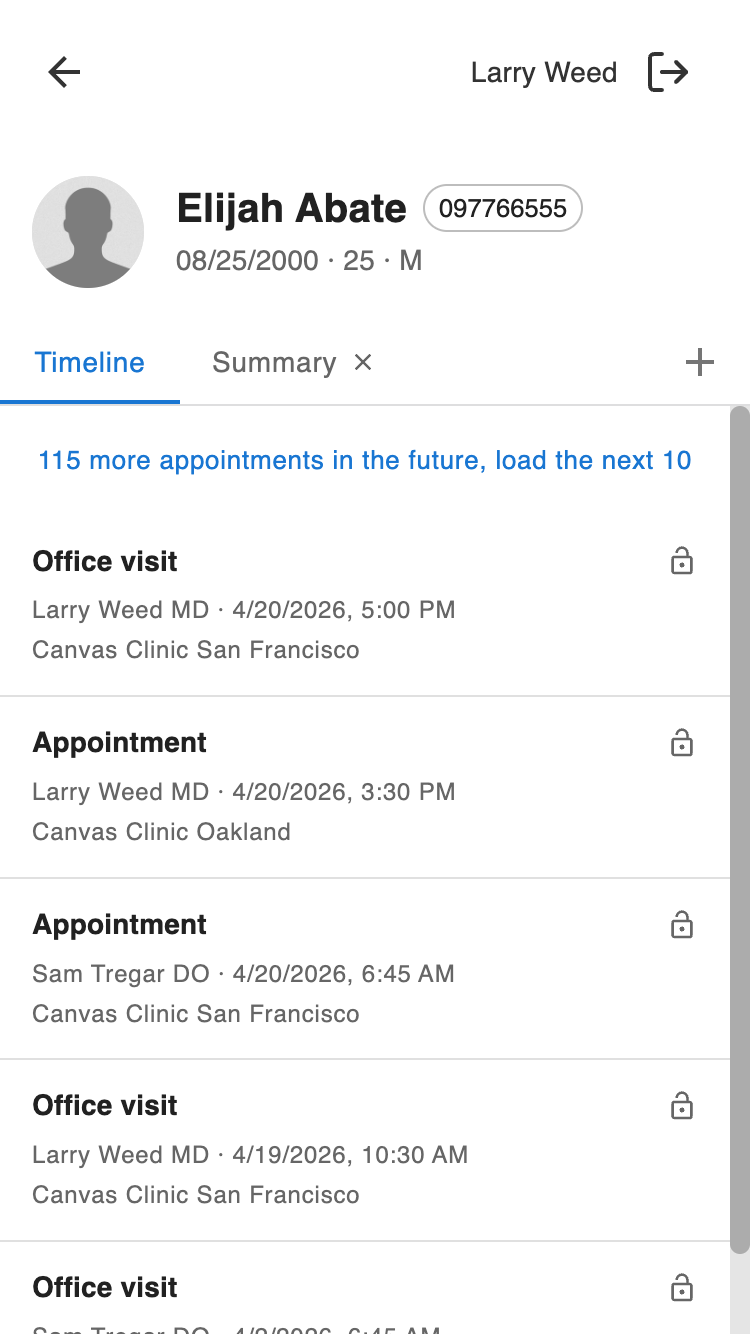
provider_companion_patient_specific | Tab on the patient page, next to the built-in Timeline tab |
provider_companion_note_specific | Tab within an opened note on the patient page |
When a user opens your app, Canvas fires an APPLICATION__ON_OPEN event and your handler’s on_open() runs. Return a LaunchModalEffect pointing at whatever URL you want embedded — typically a page served by a SimpleAPI handler in the same plugin.
provider_companion_global #
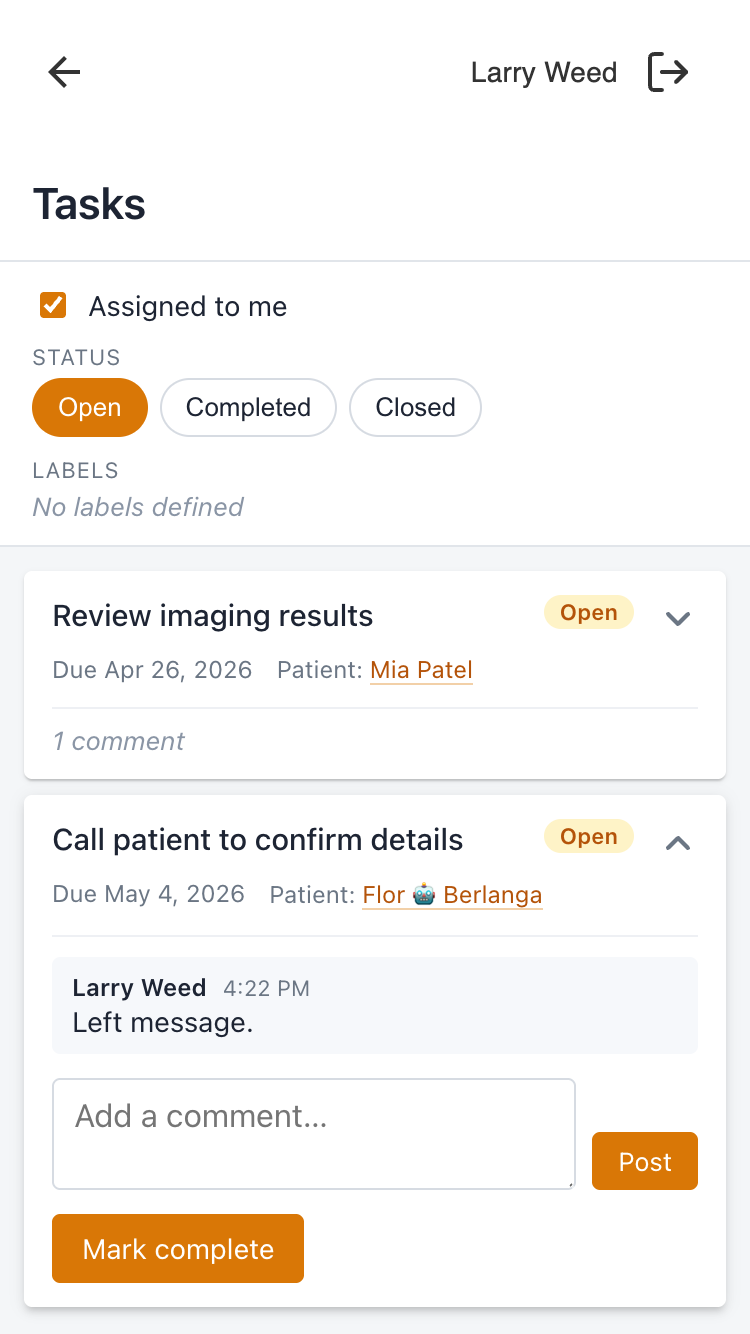
Global-scope apps appear in the companion’s launcher on the main page. They run with no patient or note context — they’re the right surface for workflows that span many patients, or administrative work that isn’t tied to a chart.
Event context #
self.event.context contains the acting user but no patient or note keys.
Use cases #
- A task queue showing every task assigned to the logged-in provider across all patients.
- A schedule viewer for the day’s appointments.
- A secure chat for the care team.
- An administrative dashboard — e.g. open lab orders awaiting review.
Example #
from canvas_sdk.effects import Effect
from canvas_sdk.effects.launch_modal import LaunchModalEffect
from canvas_sdk.handlers.application import Application


class TaskDashboardGlobal(Application):
    """Companion global app — every task for the logged-in provider."""

    def on_open(self) -> Effect:
        return LaunchModalEffect(
            url="/plugin-io/api/task_dashboard/app/tasks",
            target=LaunchModalEffect.TargetType.DEFAULT_MODAL,
        ).apply()
CANVAS_MANIFEST.json:
{
  "sdk_version": "0.1.4",
  "plugin_version": "0.0.1",
  "name": "task_dashboard",
  "description": "A task dashboard for the provider companion.",
  "components": {
    "applications": [
      {
        "class": "task_dashboard.applications.global_app:TaskDashboardGlobal",
        "name": "Tasks",
        "description": "All tasks assigned to me.",
        "scope": "provider_companion_global",
        "icon": "assets/tasks.png"
      }
    ],
    "handlers": [
      {
        "class": "task_dashboard.handlers.api:TaskDashboardAPI",
        "description": "Serves the task dashboard page the iframe loads."
      }
    ],
    "commands": [],
    "content": [],
    "effects": [],
    "views": []
  },
  "variables": [],
  "tags": {},
  "references": [],
  "license": "",
  "diagram": false,
  "readme": "./README.md"
}
The TaskDashboardAPI class is the SimpleAPI handler that actually serves the page on_open iframes. on_open only returns the launch effect; the page itself has to be served by something, and that something is a SimpleAPI handler registered here.
provider_companion_patient_specific #
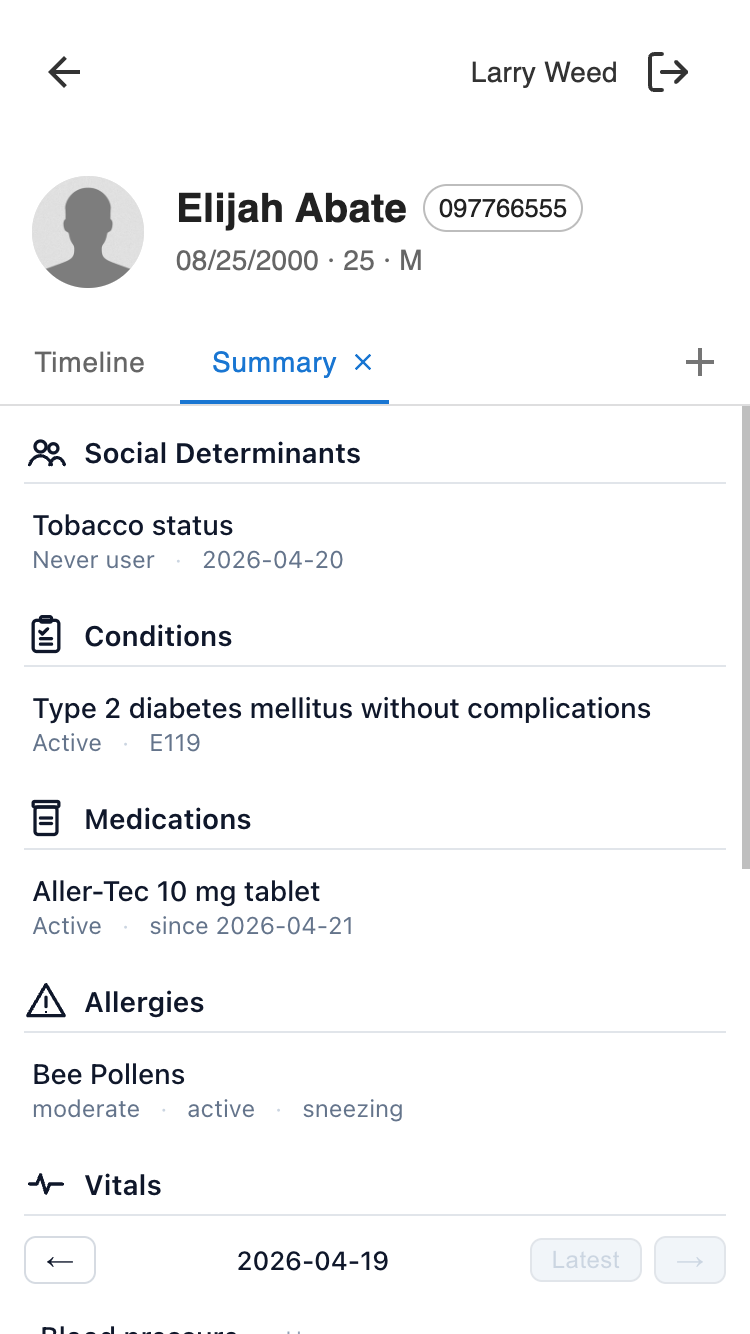
Patient-scope apps appear as tabs on the patient page. Your tab sits next to the built-in Timeline tab, and when the user taps it, your handler’s on_open() fires with the patient in event.context.
Event context #
self.event.context["patient"]["id"] # Patient id (UUID string)
Use cases #
- A chart summary of conditions, meds, allergies, vitals, etc. for the open patient.
- A risk-score panel tied to the patient.
- A care-plan checklist for this patient’s current programs.
- A patient-scoped task list — the same tasks view as the global app, but filtered to just this patient’s tasks.
Example #
from canvas_sdk.effects import Effect
from canvas_sdk.effects.launch_modal import LaunchModalEffect
from canvas_sdk.handlers.application import Application


class TaskDashboardPatient(Application):
    """Companion patient app — tasks filtered to one patient."""

    def on_open(self) -> Effect:
        patient_id = self.event.context.get("patient", {}).get("id", "")
        return LaunchModalEffect(
            url=f"/plugin-io/api/task_dashboard/app/tasks?patient_id={patient_id}",
            target=LaunchModalEffect.TargetType.DEFAULT_MODAL,
        ).apply()
CANVAS_MANIFEST.json:
{
  "sdk_version": "0.1.4",
  "plugin_version": "0.0.1",
  "name": "task_dashboard",
  "description": "A patient-scoped task dashboard for the provider companion.",
  "components": {
    "applications": [
      {
        "class": "task_dashboard.applications.patient_app:TaskDashboardPatient",
        "name": "Tasks",
        "description": "Tasks for this patient.",
        "scope": "provider_companion_patient_specific",
        "icon": "assets/tasks.png"
      }
    ],
    "handlers": [
      {
        "class": "task_dashboard.handlers.api:TaskDashboardAPI",
        "description": "Serves the task dashboard page the iframe loads."
      }
    ],
    "commands": [],
    "content": [],
    "effects": [],
    "views": []
  },
  "variables": [],
  "tags": {},
  "references": [],
  "license": "",
  "diagram": false,
  "readme": "./README.md"
}
provider_companion_note_specific #
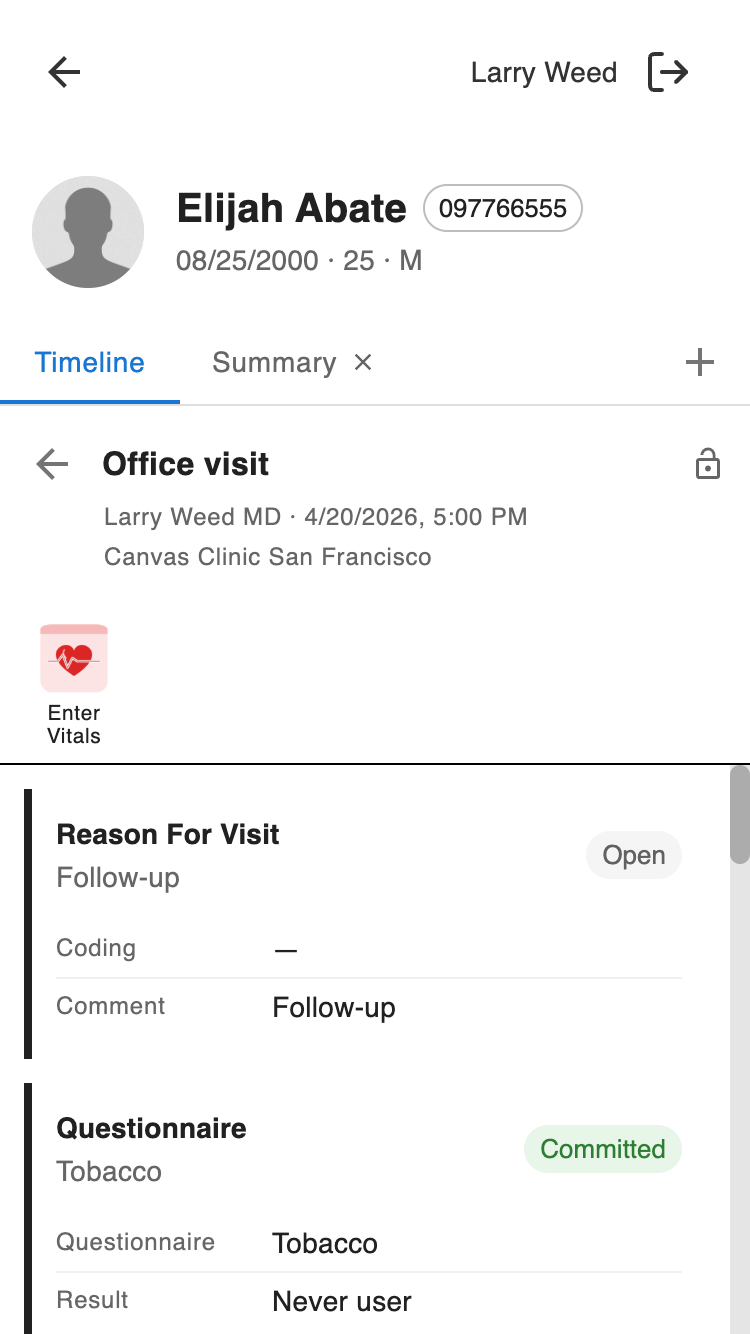
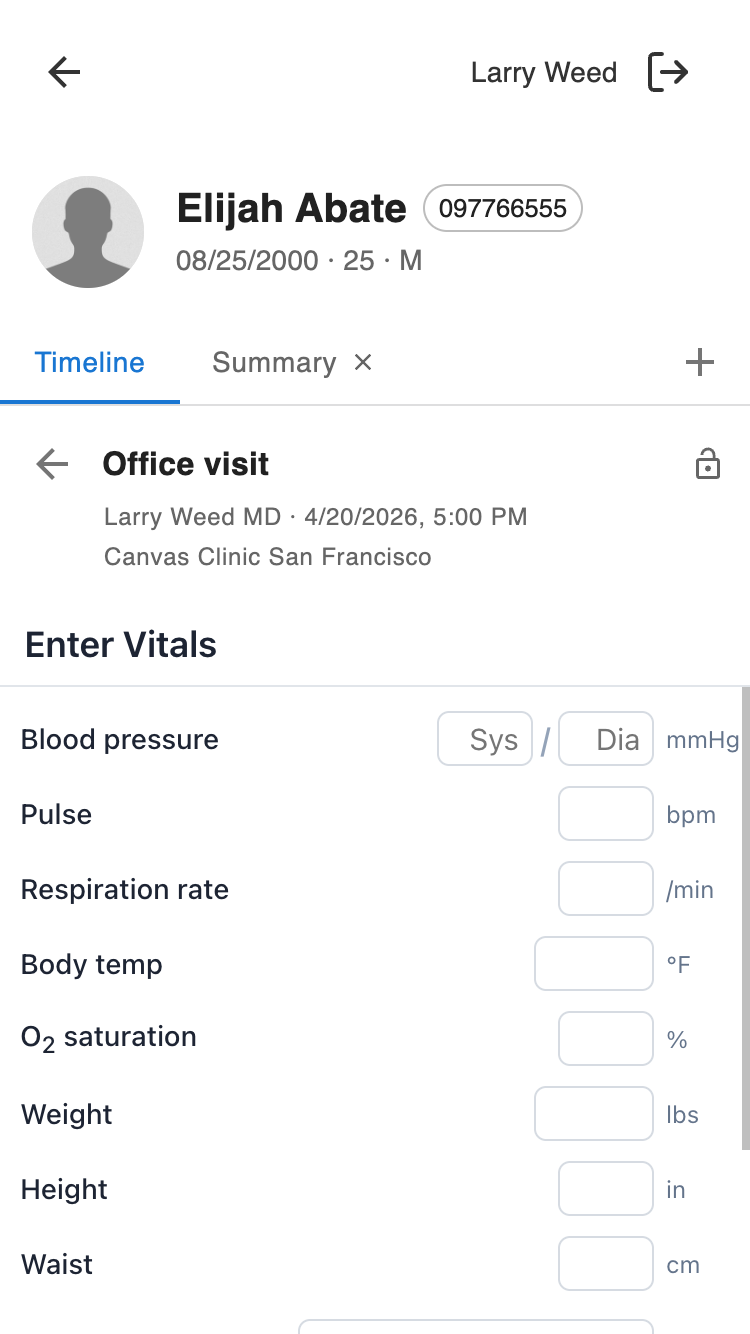
Note-scope apps appear as tabs inside an opened note on the patient page. Use these for workflows scoped to a single encounter. Both the patient and the note are passed in the event context.
Event context #
self.event.context["patient"]["id"]  # Patient id (UUID string)
self.event.context["note"]["id"]     # Note UUID
Use cases #
- A documentation assistant that reads the note’s commands and suggests improvements.
- A coding / billing helper that computes E&M level from the note’s content.
- A visit-specific questionnaire the provider fills out per encounter.
- An inline scribe that writes note content from dictation or an LLM.
Example #
from canvas_sdk.effects import Effect
from canvas_sdk.effects.launch_modal import LaunchModalEffect
from canvas_sdk.handlers.application import Application
class ScribeAssistant(Application):
"""Companion note app — inline scribe for the open note."""
def on_open(self) -> Effect:
patient_id = self.event.context.get("patient", {}).get("id", "")
note_id = self.event.context.get("note", {}).get("id", "")
return LaunchModalEffect(
url=(
f"/plugin-io/api/scribe/app/compose"
f"?patient_id={patient_id}¬e_id={note_id}"
),
target=LaunchModalEffect.TargetType.DEFAULT_MODAL,
).apply()
CANVAS_MANIFEST.json:
{
  "sdk_version": "0.1.4",
  "plugin_version": "0.0.1",
  "name": "scribe",
  "description": "Inline scribe for the provider companion.",
  "components": {
    "applications": [
      {
        "class": "scribe.applications.note_app:ScribeAssistant",
        "name": "Scribe",
        "description": "Inline scribe for this note.",
        "scope": "provider_companion_note_specific",
        "icon": "assets/scribe.png"
      }
    ],
    "handlers": [
      {
        "class": "scribe.handlers.api:ScribeAPI",
        "description": "Serves the scribe page the iframe loads."
      }
    ],
    "commands": [],
    "content": [],
    "effects": [],
    "views": []
  },
  "variables": [],
  "tags": {},
  "references": [],
  "license": "",
  "diagram": false,
  "readme": "./README.md"
}
Originating commands on the note #
The note scope’s real payoff is that your app can contribute to the note it’s running in. Take the note_uuid from the event context, build an SDK command with it, and return the command’s originate() effect alongside your JSON response — the platform will materialize the command in the note after your handler returns.
from http import HTTPStatus

from canvas_sdk.commands.commands.vitals import VitalsCommand
from canvas_sdk.effects.simple_api import JSONResponse
from canvas_sdk.handlers.simple_api import SimpleAPI, StaffSessionAuthMixin, api


class VitalsEntryAPI(StaffSessionAuthMixin, SimpleAPI):
    PREFIX = "/app"

    @api.post("/vitals")
    def submit(self):
        note_id = self.request.query_params.get("note_id", "")
        body = self.request.json() or {}
        command = VitalsCommand(
            note_uuid=note_id,
            blood_pressure_systole=body.get("bp_sys"),
            blood_pressure_diastole=body.get("bp_dia"),
            pulse=body.get("pulse"),
        )
        return [
            command.originate(),
            JSONResponse(
                {"status": "submitted"},
                status_code=HTTPStatus.ACCEPTED,
            ),
        ]
The Application passes note_id through to the iframe on the launch URL’s query string; the iframe sends it along on the POST to /vitals. The same pattern works for any SDK command that exposes an originate() method — assessments, prescriptions, lab orders, imaging orders, etc.
Attribution is the plugin author’s responsibility. Commands don’t carry an explicit originator field; the platform attributes them to whoever the authenticated session belongs to when the effect is applied. The StaffSessionAuthMixin on the handler above ensures the request is gated on a logged-in staff session, so the originated command is attributed to that staff user rather than a generic plugin service identity. If your handler doesn’t enforce a staff session, commands it originates won’t be tied to the provider using the app — gate every command-originating route with StaffSessionAuthMixin (or a stricter equivalent).
Sharing code across scopes #
You don’t need a separate plugin per scope — a single plugin can register several applications, all backed by the same SimpleAPI handler and the same UI bundle. The Application subclasses differ only in which scope they declare and what they put in the launch URL’s query string; the shared handler branches on what it receives.
The task dashboard is a natural example. The global view and the patient-scoped view show the same UI — a list of task cards — but one shows every task assigned to the provider and the other shows only tasks tied to the open patient. They can share everything except the scope declaration and one query-string parameter.
Manifest — two applications, one handler #
{
  "sdk_version": "0.1.4",
  "plugin_version": "0.0.1",
  "name": "task_dashboard",
  "description": "Task dashboard — global and patient-scoped from one codebase.",
  "components": {
    "applications": [
      {
        "class": "task_dashboard.applications.global_app:TaskDashboardGlobal",
        "name": "Tasks",
        "description": "All tasks assigned to me.",
        "scope": "provider_companion_global",
        "icon": "assets/tasks.png"
      },
      {
        "class": "task_dashboard.applications.patient_app:TaskDashboardPatient",
        "name": "Tasks",
        "description": "Tasks for this patient.",
        "scope": "provider_companion_patient_specific",
        "icon": "assets/tasks.png"
      }
    ],
    "handlers": [
      {
        "class": "task_dashboard.handlers.api:TaskDashboardAPI",
        "description": "Serves the task dashboard page and JSON bundle."
      }
    ],
    "commands": [],
    "content": [],
    "effects": [],
    "views": []
  },
  "variables": [],
  "tags": {},
  "references": [],
  "license": "",
  "diagram": false,
  "readme": "./README.md"
}
Shared SimpleAPI handler #
The handler serves the same HTML for both scopes and branches on patient_id in its data endpoint: present → filter to that patient, absent → return the provider’s entire task queue.
from http import HTTPStatus

from canvas_sdk.effects.simple_api import HTMLResponse, JSONResponse
from canvas_sdk.handlers.simple_api import SimpleAPI, StaffSessionAuthMixin, api
from canvas_sdk.templates import render_to_string
from canvas_sdk.v1.data.task import Task


class TaskDashboardAPI(StaffSessionAuthMixin, SimpleAPI):
    PREFIX = "/app"

    @api.get("/tasks")
    def page(self):
        return [HTMLResponse(
            render_to_string("static/tasks.html"),
            status_code=HTTPStatus.OK,
        )]

    @api.get("/tasks/data.json")
    def data(self):
        user_id = self.request.headers["canvas-logged-in-user-id"]
        patient_id = self.request.query_params.get("patient_id")

        tasks = Task.objects.filter(assigned_to_id=user_id)
        if patient_id:
            tasks = tasks.filter(patient__key=patient_id)

        return [JSONResponse(
            {"tasks": [serialize(t) for t in tasks]},
            status_code=HTTPStatus.OK,
        )]
The HTML/JS bundle (served by /app/tasks) fetches /app/tasks/data.json relative to its own URL, so it gets the right slice of tasks without knowing which scope launched it — the scope is encoded in whether the Application handler appended ?patient_id=... to the launch URL.
This pattern generalizes: any time the same UI works on a filtered or unfiltered dataset, you can register one Application per scope and share the handler, templates, and client-side code underneath.
Dismissing your modal #
Shortly after your iframe loads, Canvas transfers a MessagePort to it via a postMessage event. The plugin stores that port and posts {type: 'CLOSE_MODAL'} through it whenever it wants to dismiss itself — typically right after a successful form submit, or from a Cancel button.
let messagePort = null;

window.addEventListener('message', (event) => {
    if (event.data?.type === 'INIT_CHANNEL' && event.ports?.[0]) {
        messagePort = event.ports[0];
        messagePort.start();
    }
});

function closeModal() {
    if (messagePort) {
        messagePort.postMessage({ type: 'CLOSE_MODAL' });
    } else {
        window.close();  // fallback if the port never arrived
    }
}
Register the message listener at module scope, not inside a DOMContentLoaded handler — the port can arrive before your DOM is ready, and a listener attached later will miss it.
Async effects from SimpleAPI handlers #
Effects returned from a SimpleAPI route execute after the handler returns — they’re dispatched to a platform worker, not applied inside your handler’s transaction. That means you can’t emit e.g. Patient(...).create() and then query for the new patient in the same request — the effect hasn’t been processed yet and the record doesn’t exist.
If you need the new record’s UUID (for example to deep-link to it), do the lookup on a follow-up request from the iframe. The simplest shape: POST /create emits the effect and returns 202 Accepted with everything needed to identify the new record; the iframe polls a separate GET /find endpoint until the record appears (or a short timeout fires).
import datetime
from http import HTTPStatus

from canvas_sdk.effects.patient import Patient as PatientEffect
from canvas_sdk.effects.simple_api import JSONResponse
from canvas_sdk.handlers.simple_api import SimpleAPI, StaffSessionAuthMixin, api
from canvas_sdk.v1.data.patient import Patient


class RegisterPatientAPI(StaffSessionAuthMixin, SimpleAPI):
    PREFIX = "/app"

    @api.post("/create")
    def create(self):
        body = self.request.json() or {}
        # ... validate the submission ...
        effect = PatientEffect(
            first_name=body["first_name"],
            last_name=body["last_name"],
            birthdate=body["birth_date"],
        ).create()
        return [
            effect,
            JSONResponse({
                "status": "submitted",
                "lookup_params": {
                    "first_name": body["first_name"],
                    "last_name": body["last_name"],
                    "birth_date": body["birth_date"],
                },
                "lookup_started_at":
                    datetime.datetime.now(datetime.timezone.utc).isoformat(),
            }, status_code=HTTPStatus.ACCEPTED),
        ]

    @api.get("/find")
    def find(self):
        params = self.request.query_params
        found = (
            Patient.objects
            .filter(
                first_name=params["first_name"],
                last_name=params["last_name"],
                birth_date=params["birth_date"],
                created__gte=params["after"],
            )
            .order_by("-created")
            .first()
        )
        return [JSONResponse(
            {"patient_id": str(found.id) if found else None},
            status_code=HTTPStatus.OK,
        )]
On the iframe, poll /find at ~500 ms intervals for ~5 s. On the first hit, deep-link to the new record. On timeout, surface a clear error message — the effect failed and there’s nothing to link to. Don’t claim success before the lookup confirms the record exists.
Common patterns #
The conventions are the same as any other SDK application — the companion just chooses where and when to render your iframe.
- Serve your UI from a SimpleAPI handler in the same plugin.
on_open()returns aLaunchModalEffectpointing at a URL like/plugin-io/api/<plugin_name>/.... Authenticate with
StaffSessionAuthMixin. The companion is staff-only, so every request hitting your plugin’s SimpleAPI should be gated on a valid staff session. Mix the class in instead of writing your ownauthenticate()— it rejects non-staff sessions (including patient-portal sessions) up front:from canvas_sdk.handlers.simple_api import SimpleAPI, StaffSessionAuthMixin class TaskDashboardAPI(StaffSessionAuthMixin, SimpleAPI): PREFIX = "/app" # ... routes ...The logged-in user is then available via
self.request.headers["canvas-logged-in-user-id"].- Push live updates with a plugin-owned WebSocket. If your app needs to stay in sync when data changes, add a
BaseHandlerthat listens for the relevant domain events and broadcasts on a channel the iframe subscribes to. See WebSocket API for the handler shape and authentication flow. - Keep it mobile-first. The companion runs on phones. System fonts, stacked sections, generous tap targets, no hover interactions — your app should feel native inside the companion’s shell.
- Drop your own top chrome in patient and note scope. The companion harness already renders the patient’s name (and, in note scope, the note type and date) above your iframe. If your plugin also renders a title bar, the result is a doubled-up header. Suppress the iframe’s header when running in patient or note scope — either branch in your Application and pass a hint through the launch URL, or scope the CSS on a body class your shell sets from the query string.
- Link out to another patient with
window.top.location. To navigate from inside your modal to another patient’s companion view — for example, a “tap a patient name to jump there” pattern — setwindow.top.location = "/companion/patient/<uuid>/". That tears down the iframe and replaces the parent page. Setting only the iframe’slocationleaves the modal open showing the patient page on top of whatever was behind it, which is rarely what you want.
Further reading #
- Applications — the base
Applicationhandler class,on_open(), and other application scopes. - SimpleAPI — serving HTML and JSON from a plugin.
- WebSocket API — pushing live updates to an iframe.
- Data module — read-only clinical data models.
- Example plugin:
example_provider_companion_appdemonstrates one plugin registering apps at all three companion scopes.
 Questions? Create an issue.